CLIMATE ADVOCATE INFORMATION & GUIDELINES

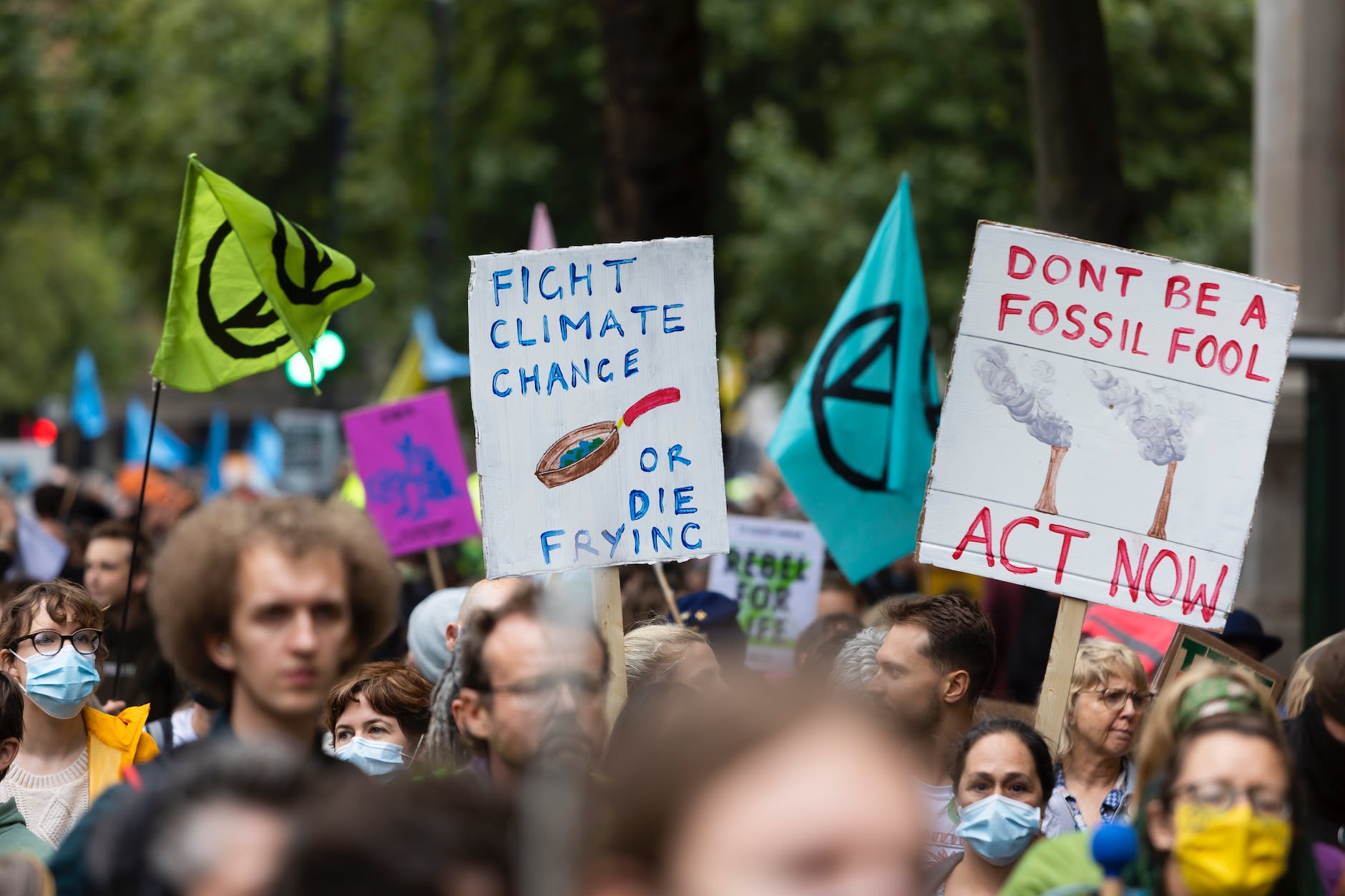
September 21-28 is Climate Week in NYC. Followers of my blogs and the Wellness Connections podcast know I consider myself a Climate Advocate focused on preventing climate change for a few years now. This post continues to bring you information on what you can do. My Wellness Connections Podcast Episode 80 discuss the causes of climate change and how individuals can help mitigate them.

You can listen to the podcast by clicking below. The podcast is available on Apple, Spotify, Amazon Music and other platforms.
https://www.buzzsprout.com/2349931/episodes/17908331

Below are links and detailed information you can use to engage in learning more about Climate Change.

What is Climate Change?
https://www.nrdc.org/stories/what-climate-change#measured
According to the NRDC (the Natural Resources Defense Council) 
Scientists agree that human activity is the primary driver of what we’re seeing now worldwide. (This type of climate change is sometimes referred to as anthropogenic, which is just a way of saying “caused by human beings.”) The unchecked burning of fossil fuels over the past 150 years has drastically increased the presence of atmospheric greenhouse gases, most notably carbon dioxide
Source: https://www.nrdc.org/stories/what-are-causes-climate-change#human

CLIMATE CHANGE INFO FOR KIDS:
https://www.natgeokids.com/uk/discover/science/nature/how-to-save-the-planet/
https://kids.frontiersin.org/collections/59311/climate-change-volume-2

Carbon Dioxide While carbon dioxide (CO2) is a naturally occurring atmospheric gas essential for plant life, its unprecedented increase due to human activities unequivocally classifies it as an air pollutant. This excess CO2 drives climate change and its associated detrimental effects, making it a significant threat to environmental and human health.
Source: https://iere.org/carbon-dioxide-an-air-pollutant/
The classification of CO2 as an air pollutant has been a subject of debate, but the scientific consensus overwhelmingly supports this designation. Here’s why: Endangerment of Public Health and Welfare: The increased concentration of CO2, leading to climate change, directly endangers public health and welfare. The rising temperatures contribute to heat waves, exacerbating respiratory illnesses and cardiovascular diseases. Changes in weather patterns can lead to increased occurrences of vector-borne diseases and food insecurity due to crop failures.
Source: https://iere.org/carbon-dioxide-an-air-pollutant/#The_Greenhouse_Effect_and_CO2

To stop climate change, we need to stop the amount of greenhouse gases, like carbon dioxide, from increasing. What can we do?
https://scied.ucar.edu/learning-zone/climate-solutions/reduce-greenhouse-gases

Suicide Prevention Apps & Support Websites

During the month of September, Suicide Awareness is a focus around the world, shining a much-needed light on an issue that affects millions. The challenges of suicidal thoughts create a heavy burden, often leading individuals suffering from these feelings to believe they are alone in their struggles. However, it’s crucial to remember that help is available, and there are numerous resources that can provide support and guidance to those in need. Below, you will find a compilation of valuable resources that can be shared widely to reach those who may be feeling isolated or hopeless. By promoting open conversations and providing access to professional assistance and peer support, we can work together to reduce the stigma surrounding mental health challenges. Let’s find a way to actively engage in helping those in need, fostering an environment where empathy and understanding flourish, ultimately leading to a brighter, more supportive community for everyone affected by this serious issue.

Stay Alive APP
https://www.suicideandco.org/support-links/stay-alive-app
https://prevent-suicide.org.uk/stay-alive-app-grassroots-suicide-prevention/
Apple
https://apps.apple.com/us/app/stay-alive/id915458967

CDC Resources
https://www.cdc.gov/suicide/resources/general-resources.html

All the best in Wellness!

APPS for Monitoring and Protecting Your Child (and yourself) on the Web

I am happy to share with you that there are FREE parental control apps available. As we watch our budget, we still may want to monitor the activities our young people returning to school are engaging in on their phones, particularly in this digital age where smartphones have become such a dominant part of our lives. In addition to this, monitoring how much time they spend on their devices can help foster a healthier balance between their online and offline activities. Setting daily device time limits not only aids in managing their screen time but can also positively influence our own device usage as adults.

These parental control apps can provide peace of mind by allowing you to oversee app usage, track screen time, and even filter inappropriate content. This is essential, especially as children navigate the vast and sometimes risky online environments. Furthermore, the availability of these resources at no cost means that budget constraints do not have to compromise the safety and well-being of our young people.

To assist you in making an informed choice, I have compiled a list of some effective and user-friendly free parental control apps. Below are some useful links, which will give you a detailed description of the features available, how to set them up, and what options are best suited for your family’s needs. Feel free to explore these resources to find the perfect solution for monitoring device usage and ensuring a safe digital experience for your children.

Photo by RDNE Stock project on Pexels.com

Google Family Link is simple to set up and use. Parents can manage their child’s devices, check privacy settings, block apps, track their location, set daily time limits, monitor usage, lock devices from afar, and filter web content on Google Chrome.

Over the years I have often checked PC Magazine for technical advice and best deals. I was happy to see that they remain a useful resource. This post includes a link to an article featuring several free parental control apps from PC Magazine. As your kids go back to school, these options can help them use their phones safely. https://www.pcmag.com/picks/apple-vs-google-vs-microsoft-who-has-the-best-free-parental-controls
Mashable has some suggestions and describes parental control apps, some of which are free. No worries, these are listed as a convenient compromise. Read the link below about parental control apps for the iPhone. https://mashable.com/roundup/best-parental-control-apps-for-iphone

It doesn’t matter what age your kid is: Whether it’s their very first phone or their fifth, parents are going to worry about what’s behind that scrolling and tapping. Parental control apps have come to be a convenient compromise between kids who really don’t want to hand over their phone and parents who really don’t want to have to confiscate it.

FYI – Hearing Apps

Climate Action Apps for Climate Future Wellness

When you find a moment listen to my podcast about how we can be involved in some small way to make a difference for our families and their futures on planet Earth.

Podcast available on Apple and other platforms

Join and have an impact on making a difference with the Climate Action Now movement.

Choose to make a difference by making a choice. Read about other climate change apps at the link below:

https://www.tomsguide.com/us/climate-change-environmental-apps,review-2377.html

BENEFITS – download the pdf

Climate Action Now – Team and Information
https://www.climateactionnow.com/partners-projects/

JUNK MAIL HELP

News you can use:)

I am pleased to tell you about the App PaperKarma.

Take a look at the Blog. You will not be sorry you did.

https://www.paperkarma.com/blog/

Pricing is located at this link

https://www.paperkarma.com/product/paperkarma-subscription/

You can read a review of PaperKarma at the link below:
https://footprinthero.com/paperkarma-review

Links to the APP –
https://apps.apple.com/us/app/paperkarma-stop-junk-mail/id1231098843

https://play.google.com/store/apps/details?id=com.readabl.paperkarma

APPs for Tracking Your Water Intake

Click this link to learn more about available APPs.

To learn more about how much water is healthful for you, click the link below to a blog post I did quite a while ago.

All the best in Wellness!

Health Apps for Wellness and Sleep -2022

FYI – Below is a link to an article about various apps, which may give your ‘Wellness‘ regimen a boost.

iPhone – use the links below for Sleep Sounds.
https://apps.apple.com/us/app/sleep-sounds-by-sleep-pillow/id410606661

https://apps.apple.com/us/app/white-noise-lite/id292987597

Tom’s Guide – sleeps apps for Android can be found at this link:
https://www.tomsguide.com/round-up/best-sleep-apps

Using the Safety Apps on Your Mobile Phone

This post is for your information and safety. You may be surprised by how easy it is to set-up your “In Case of Emergency” – ICE contacts on your mobile phones. This critical information could possibly save your life or get you expedited help on your way to the hospital. For example, in the free apps on your mobile phone, you can provide your blood type. In addition, it helps emergency personnel know whom to contact on your behalf in the event of an emergency.

When you have a moment, listen to my podcast on why you may want to consider using these free apps, which are available on your mobile phone. Then use the support links below to read and use the guidelines setting up your emergency contact information.

This podcast is available on Apple podcast, Google podcast, and other platforms of your choice. 
Just click this link to select:

https://anchor.fm/judith-guerra7.

Find detailed information and resources about emergency cell phone apps at the Medical Alert Advice website by clicking the 911 icon.

Android users can find assistance with filling out the Medical ID information using the links below.

 android-app—medical-id-instructions.pdf (jointcommission.org)

https://medicalid.app/

Apple has various ways to use emergency features on the iPhone. Click the link below to learn more and to setup your medical ID on the Apple phone using the Health App.
https://support.apple.com/en-us/HT207021

Sources:
https://www.pcmag.com/how-to/how-to-add-emergency-info-to-your-phones-lock-screen
https://freeappsforme.com/medical-id-apps/
bSafe – Never Walk Alone on the App Store (apple.com)

Celebrating Black History Month with Technology

I am delighted to learn about these APPS and to share this news with you during Black History Month. So much progress has been made with the African-American additions to the technology field.

Click the links to learn more.