Eye Ergonomics

I am certain that many of you spend hours working on  your desktops, laptops, mobile phones, then there is  Twitter, Facebook, Email,  Excel, Word, APPS, etc. etc.  Have you considered that all of this constant viewing of computer screens during the many hours of a given day  is having an impact on the ability for us to focus with our eyes?  I know I have not been thinking about the strain, although I have suffered from headaches. I have also had blurred vision during the course of the day, along with  neck and back pain.  That’s why I was interested to learn about a New York Times article by Mickey Meece, which offers solutions for eyestrain caused by computers. via Easing Eye Strain With the Right Lenses – NYTimes.comAfter reading the article, I thought it would be helpful for you to know what else I found out, so here is my synopsis.  As always you can click on the links provided for more details.

Computer vision syndrome (CVS) is a temporary condition resulting from focusing the eyes on a computer display for protracted, uninterrupted periods of time. Some symptoms of CVS include headaches, blurred vision, neck pain, redness in the eyes, fatigue, eye strain, dry, irritated eyes, double vision, polyopia, and difficulty refocusing the eyes. These symptoms can be further aggravated by improper lighting conditions (i.e. glare or bright overhead lighting) or air moving past the eyes (e.g. overhead vents, direct air from a fan).via Computer vision syndrome – Wikipedia, the free encyclopedia. Presbyopia is a condition where the eye exhibits a progressively diminished ability to focus on near objects with age…The first signs of presbyopia – eyestrain, difficulty seeing in dim light, problems focusing on small objects and/or fine print – are usually first noticed between the ages of 40 and 50 . . .via Presbyopia – Wikipedia, the free encyclopedia.

What can you do about eye strain?

In the article by Mickey Meece he discusses special purposes glasses which enhance your ability to see the computer with a sharper focus.

Here’s a list of suggestions I found at the Ergonomics website:
How To Prevent or Treat Eye Strains?

  • Take breaks by getting away from the computer desk for a few minutes
  • Eyes need to focus at different distances from time to time. It’s a good idea to follow the “20/20 rule” — every twenty minutes, look twenty feet away for twenty seconds
  • Every 20 minutes, blink 10 times by closing your eyes as if falling asleep (very slowly). This will help rewet your eyes.
  • Blinking is very important when working at a computer; it rewets your eyes to avoid dryness and irritation
  • Massaging the temples with your eyes closed for a minute may alleviate the symptoms
  • It is recommended that the viewing distance be around 45 inches away at horizontal eye level or 35 inches away with a 30-degree downward gaze angle
  • The general rule is to keep viewed material as far away as possible, provided it can be read easily. There is no such thing as sitting too far away from the screen as long as you can comfortably read what is on the screen! And don’t forget that you can increase the font on the screen by zooming into the webpage, document or changing the resolution on the screen.
  • keep viewed objects at about the same distance if you have to look back and forth a lot eg. Reading paper documents and looking at the screen to perform a task
  • Looking downward means more of the eye surface is covered by the eyelid, and two other things happen: the eyes unconsciously blink more, and they produce more lubrication

Computer glasses put the optimum lens power for viewing your computer screen right where you need it for a clear, wide field of view without the need for excessive focusing effort or unhealthful postures. The simplest computer glasses have single vision lenses.

a. This lens power relaxes the amount of accommodation required to keep objects in focus at the distance of the computer screen and provides the largest field of view

b. The lenses can be tinted to remove reflections of light from the front and back surfaces of your lenses that can cause eye strain. They also reduce glare caused by harsh overhead lighting found in many office environments. Read more about these unique computer glasses via Computer Eye Strain – Eyestrain.

I hope this is helpful! 🙂


The Scoop from IE about Online Privacy

Many of us are  in a quandary, and at our wits’ end trying to figure out what to do about this online privacy thing.  I mean can we control what companies find out about us?  If yes, what does that do to our ability to surf online for information?  Does it put us as a disadvantage because we setup controls?  In fact, an article appeared in PC World By John Ribeiro, IDG News Feb 21, 2012, which reports what Google says about how newer cookie-based features are affected by Microsoft’s IE.  One example given was “Like” buttons in Facebook. Check out the full article via Google Says IE Privacy Policy Is Impractical in Modern Web | PCWorld.

Let’s review what P3P is: The Platform for Privacy Preferences Project (P3P) is a protocol allowing websites to declare their intended use of information they collect about web browser users. Designed to give users more control of their personal information when browsing, P3P was developed by the World Wide Web Consortium (W3C) and officially recommended on April 16, 2002. Development ceased shortly thereafter and there have been very few implementations of P3P.  Microsoft Internet Explorer is the only major browser to support P3P.
via P3P – Wikipedia, the free encyclopedia.

It’s all very complicated! We covered what Google and Mozilla are doing about the online privacy concerns for users.  Below is a short summary of the highlights I thought you might want to know about , which Internet Explorer (IE) has posted on their Blog.  I urge you to use the links provided in this post to check out the information when you have time to read it for a thorough understanding, and how it may (or may not) affect you.

Highlights:

  1. Is Google circumventing the privacy preferences of IE? Yes. via Google Bypassing User Privacy Settings – IEBlog – Site Home – MSDN Blogs
  2. What does IE recommend to their users how to protect their privacy? One example IE gave is that IE9 has tracking protection which can protect you from Google.
  3. IE blocks third party cookies by default unless the site has a P3P Compact Policy Statement.
  4. IE has a Tracking List available for IE9 users.  Click this link to learn more via Tracking Protection – Microsoft Windows.

♦  ♦   ♦   ♦   ♦    ♦   ♦   ♦  ♦   ♦   ♦   ♦    ♦   ♦   ♦  ♦   ♦   ♦   ♦    ♦   ♦  

When you finish reading up on all the things you can do to protect yourself,  read the article by Karl Bode at the link provided below.  His comments about “snoopvertising” will be a reality check via Press Realizing New Privacy Bill of Rights Won’t Do Much – ‘Do Not Track’ Doesn’t Mean What You Think it Means | DSLReports.com, ISP Information.

Perhaps what would be useful here is a quote I found from 1999!

♦  ♦   ♦   ♦   ♦    ♦   ♦   ♦   ♦   ♦   ♦   ♦   ♦   ♦  ♦   ♦   ♦   ♦   ♦   ♦   ♦   ♦

Polly Sprenger Email 01.26.99

The chief executive officer of Sun Microsystems said Monday that consumer privacy issues are a “red herring.”  “You have zero privacy anyway,” Scott McNealy told a group of reporters and analysts Monday night at an event to launch his company’s new Jini technology. “Get over it.” via Sun on Privacy: ‘Get Over It’.

I hope this is helpful ! 🙂

The Scoop About Online Snooping

Just when you thought you understood how to handle the privacy protection issues, they pull us right back in. That’s why many of us are worried about how Google’s new privacy policy will affect our privacy online, and what we can do to have a say about how information is currently collected about us, and how it is manipulated.  Last week we delved into the use of  various tools provided by Google to allow us to put a stop to some of the information being collected about us in order for Google and other ‘first party(cookie) sites”  like Amazon to sell Ads.  For example,  consumers may not know that when they  go directly to first party sites (e.g. Google, Amazon) data can still be collected on them before they are given the option to “Opt-Out”.  It appears that the “Opt-Out” option works best with third party sites. Read more about how to Opt-Out and what controls you really have  at:  Network Advertising Initiative.

♦ ♦ ♦ ♦ ♦ ♦ ♦ ♦ ♦ ♦ ♦ ♦ ♦

I have listed some of  the topics reviewed by  Associated Press via Google’s new privacy policy: 6 key issues you need to know | NJ.com.

  1. Can Gmail, Google Plus, YouTube, users prevent personal data from being collected?
  2. Which Google services are covered by the privacy policy?
  3. What role does the U.S. Federal Trade Commission have in overseeing Google’s treatment of personal information?

♦ ♦ ♦ ♦ ♦ ♦ ♦ ♦ ♦ ♦ ♦ ♦ ♦

And, do not forget to check out what Mozilla’s Firefox has available to avoid tracking  in their new release.

Firefox for Android includes the Do Not Track privacy feature in this release, making Firefox the first browser to support Do Not Track on multiple platforms. Mozilla created Do Not Track to give users more control over the way their browsing behavior is tracked and used on the Web. The feature, which lets users tell websites that they wish to opt-out of online behavioral tracking, is now easier to find in Firefox Preferences. via Mozilla Delivers New Version of Firefox – First Web Browser to Support Do Not Track on Multiple Platforms | The Mozilla Blog.

I hope this is helpful 🙂
APPS Celebrate Black History

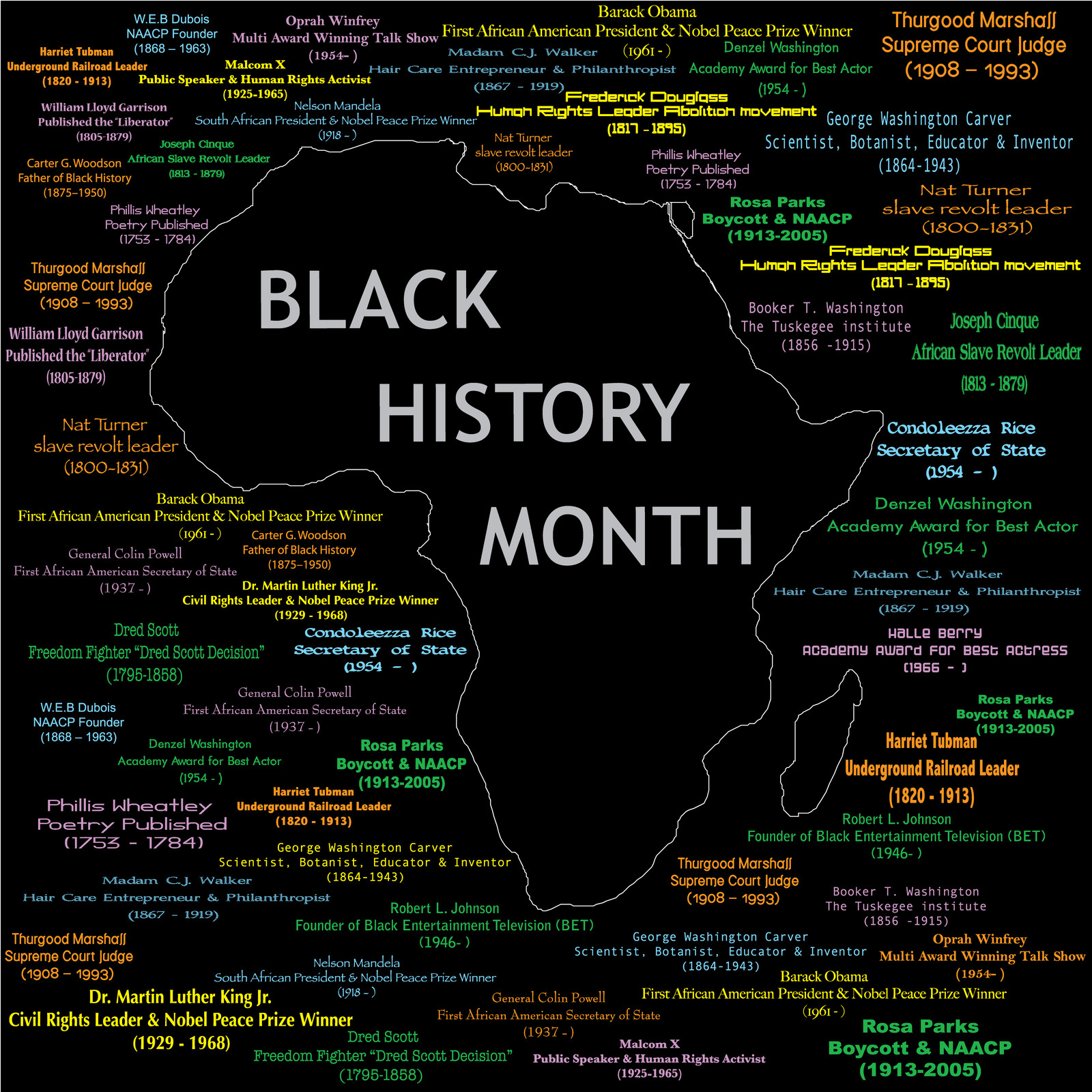
Black History Month, or National African American History Month, is an annual celebration of achievements by black Americans and a time for recognizing the central role of African Americans in U.S. history. The event grew out of “Negro History Week,” the brainchild of noted historian Carter G. Woodson and other prominent African Americans. Since 1976, every U.S. president has officially designated the month of February as Black History Month. Other countries around the world, including Canada and the United Kingdom, also devote a month to celebrating black history. via Black History Month — History.com Articles, Video, Pictures and Facts.

Both Android and Apple are celebrating Black History Month with interesting APPS.  There is an exciting selection to choose from.  Take a look and see what meets your personal interest.

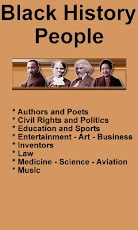
ANDROID APPS:  Description – Are you searching for facts and information about the lives of famous and important black people in history? Discover all the facts about the inspirational lives and achievements of Rosa Parks, Martin Luther King Jr., Harriet Tubman, and other famous and noteworthy black history people.Maybe you’re a teacher looking for ideas for Black History Month activities…a student researching a project… or a concerned parent who wants to make sure that their kids are fully aware of the many famous African Americans who can inspire them to follow their dreams. Nearly 100 profiles are included.via Black History People – Android Apps and Tests – AndroidPIT.

ANDROID App Screenshots

iPhone APPS for History and Inspiration

E-mail Re-solutions 2012

How many of us managed toorganize our e-mail last year?  Are all of your important e-mail items  in ‘tidy, neat, easily retrievable’ folders? ¿NO?   I must confess, neither are my e-mail folders.  In fact, I am truly losing the battle of organizing my e-mail.  Like most of you, I have more than one e-mail box, and I get more and more mail each day.  Needless to say it’s a difficult situation.  So, once again we searched for some of the best ideas on how to combat (i.e., at least get a grip!) on how to handle this situation.

Some of you may have seen an article in the New York Times last year by Sam Grobart where he offers 5 easy solutions for handling email organization :).  Below is a synopsis of what I read in that article.  I suggest you click on the link after reading the brief summary to get the details.

How to organize e-mail

1 – Use SEARCH instead of organizing your mail items into folders.  I have tried this alternative, and it certainly works when you need to get access to  information quickly. Use various ways to find what you are looking for:  email username, first or last name of the sender, subject, body of the text.

2BLOCK  unwanted mail.  Of course you all know to cut spammers.  Check out your email service for effective ways to get others blocked from entering your email box.

3Do you email yourself reminders?  I’ve certainly done that.  However, when I look for those reminders later, I NEVER find the one I need! :(.  Apparently there are various services which allow you to schedule a message to reappear in your mailbox when you need it 🙂 !  Some of the suggested services are: http://www.emailaddresses.com/email_reminder.htm and  http://www.boomeranggmail.com/

4 – I am sure many of you are already using your Inbox as an address book.  Well, it may be the solution you need for keeping the latest address of all your contacts. I, however, probably would find this cumbersome when trying to find an address just to create a mail item.  I think I prefer the address book feature provided by my mailing software.  But, if this idea works for you.  Go for it !

5- Chill out!  Don’t get so worked up about having a lot of e-mail.  If it’s a messy situation, consider yourself one of the many humans on the planet now suffering from the same thing.  It’s the way we live now, so RELAX ! I really liked this suggestion :-).
For more details in the original article check out this link : 5 Easy Steps to Stanch the E-Mail FloodBy SAM GROBARTPublished: September 7, 2011 via 5 Easy Steps to Stanch the E-Mail Flood – NYTimes.com.

Below are some other ideas for organizing email that you may want to check out.

Here are 4 Free Email organizers that help you in automatically organizing your emails. These free email organizers help you in prioritizing emails based on rules you specify, and based on their own intelligence. These email organizers come really handy if you have multiple email accounts, and get tons of emails daily. These email prioritization software will help you quickly get through the clutter, and focus on important emails first. All these email prioritization software are completely free. via Best Email Organizers and Email Prioritizers || Free Software.

I hope this is helpful 🙂

Celebrating Christmas & Kwanzaa with Technology!

Well,  it’s down to the wire. December 25th is just around the corner.   Apple wants you to get in the mood. Here is a sample of what they’ve made available for FREE!

Christmas!!

Christmas!! [iTunes link] is an iPhone-specific app with all sorts of goodies packed into one little app. With a Christmas countdown, an Advent Calendar filled with surprises that you can unlock each day, including iPhone wallpapers, jokes and a gift list. The app is the perfect companion to get you into the Christmas spirit as you count down the days to Christmas Eve.

christmas iphone apps

Christmas Tale

An interactive Christmas story for kids of all ages, Christmas Tale is available in both iPad [iTunes link] and iPhone versions [iTunes link]- although it really comes to life on the iPad screen. Have the story read to your kids, or have them read it themselves, while also discovering little gems hidden in the gorgeous pictures on each page of the story from a Christmas wish list to helping Santa get the presents under the tree. via: http://www.makeuseof.com/tag/10-free-christmas-iphoneipad-apps-festive-mood/

Kwanzaa Starts December 26th

Kwanzaa is a week long celebration held in the United States honoring universal African-American heritage and culture, observed from December 26 to January 1 each year. It features activities such as lighting a candle holder with seven candles[1] and culminates in a feast and gift giving. It was created by Maulana Karenga and was first celebrated in 1966–1967. via Kwanzaa – Wikipedia, the free encyclopedia.

CHECK out this Free App from Apple!

Kwanzaa

By Stephen Jones

Don’t forget to view more by this developer 🙂

♦ Open iTunes to buy and download apps.

iPhone Screenshots

iPhone Screenshot 1

For those of you with Android phones, check out this free app:

Countdown to Kwanzaa 2011 is a FREE app that will help you keep track of how much time is left to Kwanzaa. Make sure to check out our other apps for cool content, movies, TV shows, Football and other counters…

Click the link to see the app via Countdown to Kwanzaa 2011 – Android app on AppBrain.

♦ Here’s another Free App from Apple!

Kwanzaa Puzzles

By RGA Creations, Inc.

Don’t forget to view more by this developer 🙂

Open iTunes to buy and download apps.

iPhone Screenshots

iPhone Screenshot 1
I hope this is enjoyable!  Happy Holidays!
See you at the next Post 🙂

Free SMS – Take advantage of what’s available!

Short Message Service (SMS) is a text messaging service component of phone, web, or mobile communication systems, using standardized communications protocols that allow the exchange of short text messages between fixed line or mobile phone devices. SMS text messaging is the most widely used data application in the world, with 2.4 billion active users, or 74% of all mobile phone subscribers.[citation needed] The term SMS is used as a synonym for all types of short text messaging as well as the user activity itself in many parts of the world. via SMS – Wikipedia, the free encyclopedia.

Some common uses of SMS are things you may already be familiar with,  such as:   Twitter,  Reminders, and Calendar on your phone.

In last week’s post I asked you to think about your 2012 Technology Budget.  Many of you use SMS.  Some plans have unlimited texting, but what are you paying for that service a month? Are you paying separately for each message, or  (estimate for 100 messages @ 5.99/month), or maybe you are paying $30.00/month).  Either way, those dollars add up.  For 2012, think about whether in some instances you could use SMS from one of the free services listed here.  Maybe it will help you cut those costs.  I recently used  Textfree from Pinger.com, and was pleased  with how easy it was to set up an account. I also liked the support that was available. Below is a synopsis of what Pinger thinks about their service.

What is Pinger? Pinger makes texting and talking free. Our market-leading communications products have been downloaded by millions of iPhone, iPod touch, iPad and Android users around the world. Who is Pinger? Pinger is loaded with inventive people who enjoy creating consumer products and services that make a difference in people’s lives. via Pinger makes texting and talking free..

Here’s a tip: After you decide which free SMS service you want to use, tell your text community about your new telephone number.  Ask them to put that number in their Contacts folder so they will recognize your phone number by name when they receive a text from you.

Listed below are other sites I visited.  There is a brief synopsis, of how the service works, and a link at the end of the paragraph that you can click.  The link will take you to the sign up screen.  I hope this is helpful 🙂

♦  ♦  ♦  ♦  ♦  ♦  ♦  ♦  ♦  ♦  ♦  ♦  ♦  ♦  ♦  ♦  ♦  ♦  ♦  ♦  ♦  ♦  ♦  ♦   ♦   ♦   ♦ 

Free Text Messages

1) OnlineTextMessage.com allows free text messaging. You can send free SMS text messages to anyone with a SMS or text message enabled mobile phone. You no longer have to pay to send quick SMS or text messages as long as you have access to the Internet. All major carriers are supported: Verizon, AllTel, AT&T, Cingular, TMobile, Sprint, SunCom, and Nextel. Please bookmark our site and make us your home for free online text messaging and SMS services. You can also add it to your MySpace Profile or Google! Bookmark Us.via Free Text Messaging – Send Free Text Messages.

2) Text’em The messages that you send and receive using our website are free. Check with the recipients of the text messages, is it free for them?

Regular rates apply, please check with the recipients before sending a text message to them. You can send text messages to any of the major United States cellular services. Click the link.

via Free Text Messaging – Send and Receive Free Text Messages – Text’em.

3) MobiClient
Broadcast One Message to Many Recipients.  Need to notify multiple co-workers of a change in plan? With MobiClient’s unique Broadcast feature, you can send one message to all those recipients at once.Learn More

via MobiClient – Free SMS Text Messaging from PC to Mobile Phone Software Online Service. Free download Sending SMS. –.

There are many of these free SMS services.  If you have one that you use and like, don’t hesitate to share.  See you at the next post!  🙂

Reviewing & Preparing Your Cell Phone Budget for 2012

In these times  of economic challenges for many Boomers,  and their family members, it pays to check what options lie ahead to both save dollars in 2012, and still  have available to us the latest technology tools.

This week’s post provides  a synopsis of the descriptions for Roaming, and for Nationwide cell phone service from a  source I both support and use often: Wikipedia.  If you want more detail than I have given you here, please do not hesitate to click on the link after the Roaming description.

Roaming

In wireless telecommunications, roaming is a general term referring to the extension of connectivity service in a location that is different from the home location where the service was registered. Roaming ensures that the wireless device is kept connected to the network, without losing the connection. via http://en.wikipedia.org/wiki/Roaming.

Roaming/Nationwide fees are:

  • Traditionally charged on a per-minute basis and they are typically determined by the service provider’s pricing plan.
  • All of the major carriers now offer pricing plans that allow consumers to buy “nationwide roaming-free” minutes.
  •  Carriers define “nationwide” in different ways. For example, some carriers define “nationwide” as anywhere in the U.S., whereas others define it as anywhere within the carrier’s network.

In addition

Check out this  GREAT chart, which compares Cell Phone Providers, with reviews  in a side-by-side analysis at the link below.

Cell Phone Providers: Keeping in Touch

Cell phones keep you connected, always, to best friends and the latest news. Cell phone providers vary as much as your cell phones, offering everything from unlimited minutes to video calls to internet access plans. via Cell Phone Providers Review 2012 – TopTenREVIEWS.

During the rest of  December, 2011, I will try to bring you information that may save you dollars, and may change the way you use the technology tools available to you.  Stay tuned for upcoming posts to get technology ready for 2012!

I hope this is helpful ! 🙂

Using Technology Positively with SocialVibe

Tech4boomers  has available an extraordinary opportunity that I want to pause in this season of family gatherings, friendship cheer, and, above all, thanksgiving for our blessings – however generous or meager they might be – to ask you join ‘tech-forces with me to spread our thanksgiving beyond our ‘tech – enabled’ circle.

As you may have noticed, I have a new button to the right of my blog page.  That button allows you to help me to give resources to a cause that I believe in.  By taking part in clicking the socialvibe help button, you can take part freely to help the organization Dress for Success.

The mission of Dress for Success is to promote the economic independence of disadvantaged women by providing professional attire, a network of support and the career development tools to help women thrive in work and in life.Founded in New York City in 1997, Dress for Success is “an international not-for-profit organization offering services designed to help our clients find jobs and remain employed”. Each Dress for Success client receives one suit when she has a job interview and can return for a second suit or separates when she finds work.via Dress for Success: What We Do.

What else does socialvibe do?  Find out at –  http://thevibe.socialvibe.com

Please take time to get involved.  Together we can use technology to make a difference 🙂 !

See you at the next post.

Are Echo Boomers Creating Social Change?

There are no precise dates for when the Millennial generation starts and ends, and commentators have used birth dates ranging somewhere from the mid-1970s to the early 2000s. Members of this generation are called Echo Boomers, due to the significant increase in birth rates through the 1980s and into the 1990s, and because many of them are children of baby boomers. via Generation Y – Wikipedia, the free encyclopedia.

I am the lucky parent of an Echo Boomer  🙂 and I am wondering . . . Is Social Media … Social Change evolved?  If you’re curious about what our younger generation is thinking these days, read on.

Let’s look at some of the Baby Boomer history:

Cultural identity

Boomers grew up at a time of dramatic social change. In the United States, that social change marked the generation with a strong cultural cleavage …The Baby Boomers were the first generation, at least in Western countries, to grow up with television; some of the most popular shows during the Boomer era were … The Twilight Zone, The Ed Sullivan Show and Happy Days. via Baby boomer – Wikipedia, the free encyclopedia.

Social change refers to an alteration in the social order of a society. It may refer to the notion of social progress or sociocultural evolution, the philosophical idea that society moves forward by dialectical or evolutionary means…     Social change may be driven by cultural, religious, economic, scientific or technological forces. via Social change – Wikipedia, the free encyclopedia.

What is Social Media?

Social media are media for social interaction, as a superset beyond social communication. Enabled by ubiquitously accessible and scalable communication techniques, social media substantially change the way of communication between organizations, communities, as well as individuals.  via Social media – Wikipedia, the free encyclopedia.

You Decide
Check out a recent Post by Dina Spector about a Cisco study, and maybe it will give you some insight about what Generation Y ( Millennials) is thinking 🙂   See you at the next Post !

◊ ◊ ◊ ◊ ◊ ◊ ◊ ◊ ◊ ◊ ◊ ◊ ◊ ◊ ◊ ◊ ◊ ◊ ◊ ◊ ◊ ◊ ◊ ◊ ◊ ◊ ◊ ◊ ◊ ◊ ◊ ◊

Young People Think The Internet Is As Important As Breathing

November 3, 2011, By Dina Spector  – Internet Cafe

A new study by Cisco Systems reveals that one in three college students and young professionals under 30 believe the Internet is as important as air, water, food, and shelter (via CNNMoney).

The study, which polled 8,000 people in 14 countries, found that more than half of the participants said they could not live without the Internet, citing it as “more important than owning a car, dating, and going to parties.”

Here are some more study highlights:

* Many respondents cite a mobile device as “the most important technology” in their lives

* Seven of 10 employees have “friended” their managers and coworkers on Facebook

* Two of five students have not bought a physical book (except textbooks) in two years

* Most respondents have a Facebook account and check it at least once a day

o Half would rather lose their wallet or purse than their smartphone or mobile device.

o More than two of five would accept a lower-paying job that had more flexibility with regard to device choice, social media access, and mobility than a higher-paying job with less flexibility.

* At least one in four said the absence of remote access would influence their job decisions, such as leaving companies sooner rather than later, slacking off, or declining job offers outright.

o Three out of 10 feel that once they begin working, it will be their right — more than a privilege — to be able to work remotely with a flexible schedule.

via Young People Think The Internet Is As Important As Breathing | Embargo Zone.