APP Therapy?

As Benedict Carey writes in Science Times . . . a new generation of apps may soon offer psychotherapy on the go. In the past few years, researchers have been testing simple, video-game-like programs aimed at relieving common problems like anxiety and depression. These recent results have been encouraging enough that investigators are now delivering the programs on smartphones — therapy apps, in effect, that may soon make psychological help accessible anytime, anywhere, whether in the grocery store line, on the bus, or just before a work presentation.via Coming to Your Smartphone: Therapy Apps – NYTimes.com.

* * * * * * * * * *

These days, many of us complain about the 24 hour response lives we are leading due to Smartphones, iPads, Laptops, Twitter, Facebook, Email, Internet, the SOCIAL MEDIA THING!  We want a breakNow it seems, even our relaxation and therapy will  come from a computer!  The ‘Relaxation Response‘ is now available in various  APPS.  No Kidding!

The Relaxation Response,  a term coined by Herbert Benson in a book of the same name, where he describes his research into the effects of meditation via Relaxation response – Wikipedia, the free encyclopedia.

I am eager to see where this will lead us in the future since it seems  there is a serious discussion about the potential help these APPS may offer. The following excerpt is a brief description of what to expect. You can click the link at the end of this short description to read the full details.

♦ Objective: This exploratory study examined the potential of mobile phone technologies to broaden access to cognitive behavioral therapy techniques and to provide in-the-moment support. ♦ Methods: We developed a mobile phone application with touch screen scales for mood reporting and therapeutic exercises for cognitive reappraisal . . . and physical relaxation. via JMIR-Mobile Therapy: Case Study Evaluations of a Cell Phone Application for Emotional Self-Awareness | Morris | Journal of Medical Internet Research.

* * * * * * * * *

Android cell phone users will want to take this opportunity to check out some of the APPS already on the market to help you with relaxation techniques available for Android cell phones.  Some favorites appear below, and are available, with many others at this  link  http://www.androidfreeware.net/tag-relaxation.html

Rainy Jungle – A rainy jungle view over a river and a stimulating hail of the raindrops for your relaxation or deep sleep.
Guide to Psychotherapy – Learn The Basics About The Healing Power Of Psychotherapy.
* * * * * * * * *
iPhone and iPad users can find a great choice for meditation and relaxation APPS by clicking the links below.
I hope this is helpful 🙂   PEACE!


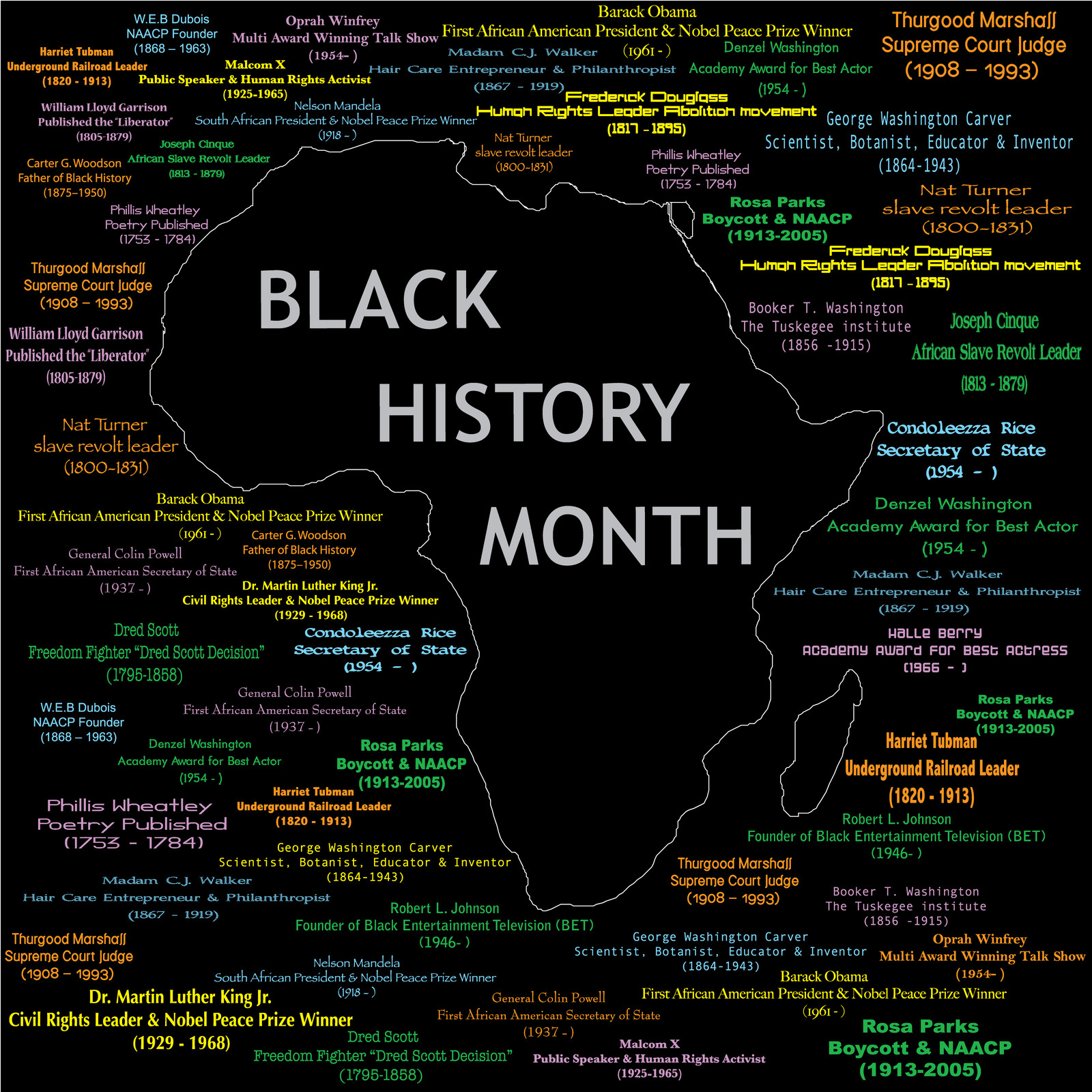
APPS Celebrate Black History

Black History Month, or National African American History Month, is an annual celebration of achievements by black Americans and a time for recognizing the central role of African Americans in U.S. history. The event grew out of “Negro History Week,” the brainchild of noted historian Carter G. Woodson and other prominent African Americans. Since 1976, every U.S. president has officially designated the month of February as Black History Month. Other countries around the world, including Canada and the United Kingdom, also devote a month to celebrating black history. via Black History Month — History.com Articles, Video, Pictures and Facts.

Both Android and Apple are celebrating Black History Month with interesting APPS.  There is an exciting selection to choose from.  Take a look and see what meets your personal interest.

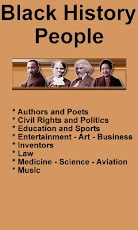
ANDROID APPS:  Description – Are you searching for facts and information about the lives of famous and important black people in history? Discover all the facts about the inspirational lives and achievements of Rosa Parks, Martin Luther King Jr., Harriet Tubman, and other famous and noteworthy black history people.Maybe you’re a teacher looking for ideas for Black History Month activities…a student researching a project… or a concerned parent who wants to make sure that their kids are fully aware of the many famous African Americans who can inspire them to follow their dreams. Nearly 100 profiles are included.via Black History People – Android Apps and Tests – AndroidPIT.

ANDROID App Screenshots

iPhone APPS for History and Inspiration

Phone Security

Everywhere lately I am reading about how to protect one’s identity from phone loss or theft.  In recent weeks it is even more so.  This topic is without doubt something we all need to be aware of, and should do  something about.  Are you at risk of putting your identity in jeopardy because you have not taken the steps to add restrictions on your phone?

What are your risks today?  Have you ever lost your phone?  Do you think security on your device is important?  Don’t think so ? Below is a small part of an article that appeared in the New York Times recently.  I urge you to click on the link after the brief summary to get the full story.

Chuck Bokath would be terrifying if he were not such a nice guy. A jovial senior engineer at the Georgia Tech Research Institute in Atlanta, Mr. Bokath can hack into your cellphone just by dialing the number. He can remotely listen to your calls, read your text messages, snap pictures with your phone’s camera and track your movements around town — not to mention access the password to your online bank account. via Protecting a Cellphone Against Hackers – NYTimes.com.

Enough said?  Below are  recommendations  on how to begin protecting yourself from compromising the safety of your personal information.  In the New York Times article one of the smartphone security companies  mentioned is Lookout, Inc.  Check out the information below and get started with protecting your cyber identity.  🙂

Award-Winning Security That’s Easy to Use Your smartphone is vital to your work and everyday life. Lookout provides award-winning security to protect you from viruses, malware and spyware, the ability to backup and restore your data, and tools to help locate lost or stolen phones. Lookout’s unique cross-platform, cloud-connected applications are designed to be lightweight and efficient while delivering the best protection possible. via Smartphone Security | Mobile Device Security for Smartphones.

Apple iPhone and iPad users can checkout the 2 links below

Protecting and Recovering Your iPhone and iPad from Loss and Theft | Security Generation.

Frequently Asked Questions About Find My iPhone (and iPad) | Security Generation.

♦  Android phone users may want to check out how to protect their phones with Norton’s beta app

Norton Mobile Security Android security appSmartphones hold a lot of valuable data: Text messages, e-mail, and even credit card numbers can reside on the device, where they’re easily accessed. If you lose your phone, you run the risk of having your identity stolen. Sure, you can set up a lock pattern, but we have seen such measures circumvented in the past.

Symantec’s Norton Mobile Security (beta) allows you to remotely lock and wipe your phone by text message, so that whoever finds it can’t immediately go on a shopping spree in the Android Market with your money. You can even lock down the SIM card so that a thief can’t swap it out to another phone. Beyond that, Norton permits you to block calls and text messages, as well as to scan your phone for malware. Although the program is still in beta until the end of the year, Norton Mobile Security is a superb choice for anyone who wants complete cell phone protection. via Protect Your Android Phone With Security Apps | PCWorld.

I hope this is helpful 🙂


ACKNOWLEDGEMENT

I cannot write my post today before I acknowledge the recent reports about the manufacturing of Apple products in China.  Even more to the point,  I do not think that any one of the many Apple customers in the United States was not troubled by the report of how these products, we’ve come to love and use, are being made for our use and entertainment.

Human cost does matter.  In this country where we live to enjoy all sorts of labor laws to protect the human cost value from capitalism, we cannot close our minds and eyes to this recent, startling revelation.  We should further evaluate and listen, but we cannot ignore what is alleged.

In 1904 the National Child Labor Committee began its mission of advocating for child labor laws in the United States.  That was one hundred eight years ago. That’s only one issue.

Surely, as citizens, parents and ultimately as consumers of the products, which Apple and other companies either manufacture, or contract with others to manufacture, we will be vigilantly watching for what plans and solutions to this multi-headed hydra are proposed and implemented.  The news is disturbing; the answer is probably not simple.

There is clearly more to come on this subject.

E-mail Re-solutions 2012

How many of us managed toorganize our e-mail last year?  Are all of your important e-mail items  in ‘tidy, neat, easily retrievable’ folders? ¿NO?   I must confess, neither are my e-mail folders.  In fact, I am truly losing the battle of organizing my e-mail.  Like most of you, I have more than one e-mail box, and I get more and more mail each day.  Needless to say it’s a difficult situation.  So, once again we searched for some of the best ideas on how to combat (i.e., at least get a grip!) on how to handle this situation.

Some of you may have seen an article in the New York Times last year by Sam Grobart where he offers 5 easy solutions for handling email organization :).  Below is a synopsis of what I read in that article.  I suggest you click on the link after reading the brief summary to get the details.

How to organize e-mail

1 – Use SEARCH instead of organizing your mail items into folders.  I have tried this alternative, and it certainly works when you need to get access to  information quickly. Use various ways to find what you are looking for:  email username, first or last name of the sender, subject, body of the text.

2BLOCK  unwanted mail.  Of course you all know to cut spammers.  Check out your email service for effective ways to get others blocked from entering your email box.

3Do you email yourself reminders?  I’ve certainly done that.  However, when I look for those reminders later, I NEVER find the one I need! :(.  Apparently there are various services which allow you to schedule a message to reappear in your mailbox when you need it 🙂 !  Some of the suggested services are: http://www.emailaddresses.com/email_reminder.htm and  http://www.boomeranggmail.com/

4 – I am sure many of you are already using your Inbox as an address book.  Well, it may be the solution you need for keeping the latest address of all your contacts. I, however, probably would find this cumbersome when trying to find an address just to create a mail item.  I think I prefer the address book feature provided by my mailing software.  But, if this idea works for you.  Go for it !

5- Chill out!  Don’t get so worked up about having a lot of e-mail.  If it’s a messy situation, consider yourself one of the many humans on the planet now suffering from the same thing.  It’s the way we live now, so RELAX ! I really liked this suggestion :-).
For more details in the original article check out this link : 5 Easy Steps to Stanch the E-Mail FloodBy SAM GROBARTPublished: September 7, 2011 via 5 Easy Steps to Stanch the E-Mail Flood – NYTimes.com.

Below are some other ideas for organizing email that you may want to check out.

Here are 4 Free Email organizers that help you in automatically organizing your emails. These free email organizers help you in prioritizing emails based on rules you specify, and based on their own intelligence. These email organizers come really handy if you have multiple email accounts, and get tons of emails daily. These email prioritization software will help you quickly get through the clutter, and focus on important emails first. All these email prioritization software are completely free. via Best Email Organizers and Email Prioritizers || Free Software.

I hope this is helpful 🙂

2011 in review

The WordPress.com stats helper monkeys prepared a 2011 annual report for this blog.

Here’s an excerpt:

A San Francisco cable car holds 60 people. This blog was viewed about 2,000 times in 2011. If it were a cable car, it would take about 33 trips to carry that many people.

Click here to see the complete report.

Are you in a HotSpot?

In the upcoming weeks we are going to have  short bursts of information on what HotSpots are.  For example Boingo Wireless and Boingo Wi-Finder, and where you can buy or download the  free service. Also, we will look at why you would use a paid service instead of a free one.

What is  a HotSpot?

A HotSpot is a site that offers Internet access over a wireless local area network with a router connected to a link to an Internet service provider. Hotspots typically use Wi-Fi technology (this was covered in a earlier post. Check the post listing if you want a detailed description).

Hotspots may be found in coffee shops and various other public establishments throughout much of the developed world. via Hotspot (Wi-Fi) – Wikipedia, the free encyclopedia.

What types of  Internet access services are available to use Hotspots?

Boingo Wireless is a paid service and provides Internet access

Boingo Wi-Finder is a free service and provides Internet access

Below is a brief summary of information found  at Wireless Internet Reviews.  You can click the link  below to read the full description and rating of each service.

Boingo Wireless has a network of Wi-Fi providers worldwide (100,000 hotspots globally).

AT&T has competitive pricing  for monthly Wi-Fi Hotspot subscription packages. It’s a good choice for travelers.

T–Mobile currently operates the fourth largest network in the United States. They have plans available of their network Wi-Fi Hotspots.

Click the link for detailed information: via Best Rated Subscription Hotspot Services | Wireless Internet Reviews

We will have the chance to discuss other findings about HotSpots at the next post.

I hope this is helpful! 🙂

Celebrating Christmas & Kwanzaa with Technology!

Well,  it’s down to the wire. December 25th is just around the corner.   Apple wants you to get in the mood. Here is a sample of what they’ve made available for FREE!

Christmas!!

Christmas!! [iTunes link] is an iPhone-specific app with all sorts of goodies packed into one little app. With a Christmas countdown, an Advent Calendar filled with surprises that you can unlock each day, including iPhone wallpapers, jokes and a gift list. The app is the perfect companion to get you into the Christmas spirit as you count down the days to Christmas Eve.

christmas iphone apps

Christmas Tale

An interactive Christmas story for kids of all ages, Christmas Tale is available in both iPad [iTunes link] and iPhone versions [iTunes link]- although it really comes to life on the iPad screen. Have the story read to your kids, or have them read it themselves, while also discovering little gems hidden in the gorgeous pictures on each page of the story from a Christmas wish list to helping Santa get the presents under the tree. via: http://www.makeuseof.com/tag/10-free-christmas-iphoneipad-apps-festive-mood/

Kwanzaa Starts December 26th

Kwanzaa is a week long celebration held in the United States honoring universal African-American heritage and culture, observed from December 26 to January 1 each year. It features activities such as lighting a candle holder with seven candles[1] and culminates in a feast and gift giving. It was created by Maulana Karenga and was first celebrated in 1966–1967. via Kwanzaa – Wikipedia, the free encyclopedia.

CHECK out this Free App from Apple!

Kwanzaa

By Stephen Jones

Don’t forget to view more by this developer 🙂

♦ Open iTunes to buy and download apps.

iPhone Screenshots

iPhone Screenshot 1

For those of you with Android phones, check out this free app:

Countdown to Kwanzaa 2011 is a FREE app that will help you keep track of how much time is left to Kwanzaa. Make sure to check out our other apps for cool content, movies, TV shows, Football and other counters…

Click the link to see the app via Countdown to Kwanzaa 2011 – Android app on AppBrain.

♦ Here’s another Free App from Apple!

Kwanzaa Puzzles

By RGA Creations, Inc.

Don’t forget to view more by this developer 🙂

Open iTunes to buy and download apps.

iPhone Screenshots

iPhone Screenshot 1
I hope this is enjoyable!  Happy Holidays!
See you at the next Post 🙂

Free SMS – Take advantage of what’s available!

Short Message Service (SMS) is a text messaging service component of phone, web, or mobile communication systems, using standardized communications protocols that allow the exchange of short text messages between fixed line or mobile phone devices. SMS text messaging is the most widely used data application in the world, with 2.4 billion active users, or 74% of all mobile phone subscribers.[citation needed] The term SMS is used as a synonym for all types of short text messaging as well as the user activity itself in many parts of the world. via SMS – Wikipedia, the free encyclopedia.

Some common uses of SMS are things you may already be familiar with,  such as:   Twitter,  Reminders, and Calendar on your phone.

In last week’s post I asked you to think about your 2012 Technology Budget.  Many of you use SMS.  Some plans have unlimited texting, but what are you paying for that service a month? Are you paying separately for each message, or  (estimate for 100 messages @ 5.99/month), or maybe you are paying $30.00/month).  Either way, those dollars add up.  For 2012, think about whether in some instances you could use SMS from one of the free services listed here.  Maybe it will help you cut those costs.  I recently used  Textfree from Pinger.com, and was pleased  with how easy it was to set up an account. I also liked the support that was available. Below is a synopsis of what Pinger thinks about their service.

What is Pinger? Pinger makes texting and talking free. Our market-leading communications products have been downloaded by millions of iPhone, iPod touch, iPad and Android users around the world. Who is Pinger? Pinger is loaded with inventive people who enjoy creating consumer products and services that make a difference in people’s lives. via Pinger makes texting and talking free..

Here’s a tip: After you decide which free SMS service you want to use, tell your text community about your new telephone number.  Ask them to put that number in their Contacts folder so they will recognize your phone number by name when they receive a text from you.

Listed below are other sites I visited.  There is a brief synopsis, of how the service works, and a link at the end of the paragraph that you can click.  The link will take you to the sign up screen.  I hope this is helpful 🙂

♦  ♦  ♦  ♦  ♦  ♦  ♦  ♦  ♦  ♦  ♦  ♦  ♦  ♦  ♦  ♦  ♦  ♦  ♦  ♦  ♦  ♦  ♦  ♦   ♦   ♦   ♦ 

Free Text Messages

1) OnlineTextMessage.com allows free text messaging. You can send free SMS text messages to anyone with a SMS or text message enabled mobile phone. You no longer have to pay to send quick SMS or text messages as long as you have access to the Internet. All major carriers are supported: Verizon, AllTel, AT&T, Cingular, TMobile, Sprint, SunCom, and Nextel. Please bookmark our site and make us your home for free online text messaging and SMS services. You can also add it to your MySpace Profile or Google! Bookmark Us.via Free Text Messaging – Send Free Text Messages.

2) Text’em The messages that you send and receive using our website are free. Check with the recipients of the text messages, is it free for them?

Regular rates apply, please check with the recipients before sending a text message to them. You can send text messages to any of the major United States cellular services. Click the link.

via Free Text Messaging – Send and Receive Free Text Messages – Text’em.

3) MobiClient
Broadcast One Message to Many Recipients.  Need to notify multiple co-workers of a change in plan? With MobiClient’s unique Broadcast feature, you can send one message to all those recipients at once.Learn More

via MobiClient – Free SMS Text Messaging from PC to Mobile Phone Software Online Service. Free download Sending SMS. –.

There are many of these free SMS services.  If you have one that you use and like, don’t hesitate to share.  See you at the next post!  🙂